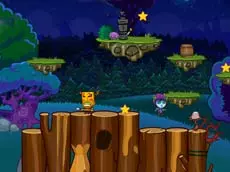
Alfy
Join Alfy on a charming skill-based adventure where you navigate through various environments, using precise movements and interactions to progress through this kid-friendly arcade experience.
About Alfy
Alfy is a vibrant action-adventure game designed for players of all ages, featuring a mix of arcade-style challenges and skill-based progression. As you guide the main character through different levels, the focus remains on navigating the terrain effectively and interacting with the environment to overcome obstacles. The game emphasizes steady progress and accessible mechanics, making it particularly suitable for younger audiences or those looking for a lighthearted skill test.
The gameplay combines platforming elements with simple interaction points, requiring both timing and curiosity. With its clean HTML5 design and mobile support, the title offers a consistent experience across different devices. It provides a straightforward path forward, rewarding players who pay attention to their surroundings and master the basic movement controls to reach the end of each stage.
Why players like Alfy
- Simple and intuitive controls suitable for children and casual players.
- A rewarding progression system that keeps the gameplay engaging.
- Optimized performance for a smooth experience on both mobile and desktop.
- A blend of skill and exploration that encourages careful navigation.
Instructions
 = move
E = interact
How to play
Navigate Alfy through each level using the arrow keys to move across the terrain. Watch for specific objects or points of interest within the environment where you can use the interaction key to trigger actions. Your primary goal is to move safely across the map, managing obstacles and utilizing available tools to advance. Focus on precise positioning to ensure you can reach new areas and complete the requirements for each stage.
Tips for beginners
- Observe the environment closely for visual cues that indicate an object is interactive.
- Prioritize steady movement over speed to avoid missing small platforms or landing points.
- Experiment with the interaction key on different items to see how they affect your path forward.