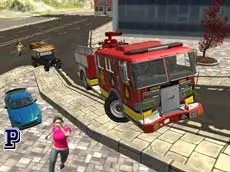
SplatPed Evo
SplatPed Evo offers a detailed 3D driving simulation where you can explore environments, test vehicle physics, and experiment with time manipulation in a highly interactive sandbox setting.
About SplatPed Evo
SplatPed Evo is a 3D car simulator that prioritizes freedom and physics-based interaction. This title allows players to navigate various vehicles through detailed environments. Unlike traditional racing games, the focus here is on the driving experience itself, giving you the space to test the limits of your vehicle without the pressure of a ticking clock or competitive opponents.
The game features several built-in mechanics that enhance the simulation, such as the ability to repair your vehicle on the fly or reset your position if you get stuck. The inclusion of a time-slowing feature adds a unique layer to the gameplay, allowing for precise control during complex maneuvers. It is a suitable choice for players who enjoy open-ended driving and technical vehicle handling.
Why players like SplatPed Evo
- Realistic 3D environments designed for open exploration.
- Interactive features like manual vehicle repairs and position resets.
- Time-slowing mechanic for better control and cinematic moments.
- Multiple camera perspectives to suit different driving preferences.
Instructions
 = ride
 = interaction
ENTER = reset car
C = change camera
R = repair car
T = slow time
How to play
Use the arrow keys to drive your vehicle through the environment. If you encounter obstacles or sustain damage, you can repair your car instantly or reset its position to keep the simulation running smoothly. Experiment with the camera views to find your preferred perspective and use the time-slow feature to navigate tight spots or observe physics interactions more closely.
Tips for beginners
- Activate the slow-time feature to handle difficult turns or jumps with greater precision.
- Switch between camera angles to get a better view of your surroundings or the vehicle's orientation.
- If your car becomes undrivable after a collision, use the repair function to fix it instantly without restarting.
- Use the reset command if you find yourself stuck in the terrain to quickly return to a drivable state.